Content Workflow Automation Without an Agency
Build your content workflow with tools instead of agencies.
Content marketing agencies bill $100 to $149 an hour on the low end, per Clutch's rate data, and retainers routinely run $5,000 to $50,000 a month. This piece is about what happens after a marketing team decides to stop paying for that access and build the workflow itself: a stack of connected tools standing in for a stack of invoices. What follows is a breakdown of what actually holds up.
That decision sounds simple until you price the alternative. A four-person in-house content team runs $450,000 to $550,000 a year, according to MarkerHire's 2025 analysis, which isn't obviously cheaper than a mid-range retainer once you count the overhead. So why bother? Because what you're really buying from an agency is a process: strategy, production, review cycles, publishing, stitched into a sequence someone else designed and remembers how to run. Take that process apart, rebuild it in-house with the right triggers and templates, and the retainer stops being your only option. This is about understanding what you're renting before you decide whether to keep renting it.
The thing that keeps teams stuck isn't content quality. It's institutional knowledge. Agencies hold the map of how a piece moves from idea to published post, and when a team doesn't have its own copy of that map, dropping the agency feels like jumping without checking if there's water below. Automation lets you draw the map yourself, in a form you own and can hand to the next person without losing the plot.
What a content workflow automation system actually replaces
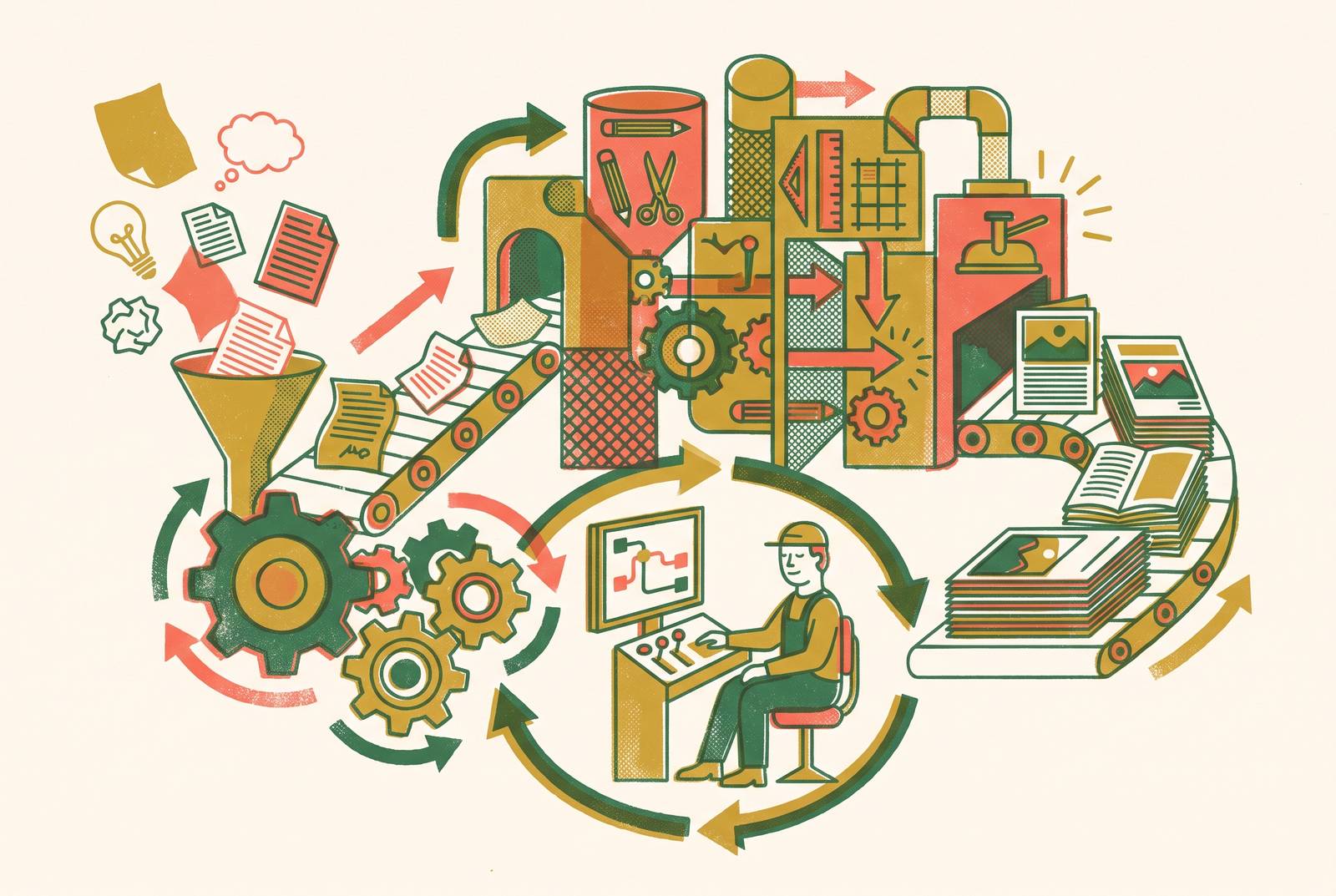
A workflow is a sequence: ideation, briefing, creation, review, optimization, publishing, distribution, repurposing. When an agency runs it, every one of those stages lives in someone else's head and someone else's Slack channel. Automation takes over the parts that are pure coordination, chasing an approval, reformatting a blog post into six aspect ratios, scheduling a send for 9am Tuesday, and leaves the parts that need actual judgment sitting with a human.
That split matters more now than it did a few years ago. Audiences hit an average of 11.1 touchpoints before acting on anything, up from 8.5 four years back. A manual workflow, the kind built around a person copying and pasting between six tabs, can't cover that much surface area without someone burning out or a channel quietly getting dropped.
85% of marketers already use AI somewhere in content creation. Most of them, though, are stuck on basic tasks: draft a paragraph here, generate an image there. The early adopters who actually built a system around these tools report meaningfully more output with the same headcount. What separates the two groups? Not the tool. It's whether someone designed a system around it or just bolted it onto the same broken process that was already there.
That's the part most teams skip, and it's why the next section exists.
Auditing your current workflow before building anything
Here's a mistake that happens more than it should: a team automates their content approval workflow without first cutting the redundant review steps already baked into it. What they get is a faster way to hit the exact same delays.
Automation encodes whatever process you feed it. Feed it a broken one and you get a broken one that moves faster, arguably worse than a slow broken one, because now the delay is harder to spot.
Before touching Zapier or opening a new Airtable base, sit with three questions. Where does content actually get stuck? Brief to creation, creation to review, or review to publish; find the one eating the most calendar days. Which tasks repeat identically every cycle? Those are your automation candidates. And which decisions need a human to actually think, every time, no exceptions? Automation should never touch those.
Run this audit honestly and most teams land on the same three answers: briefing takes too long, social reformatting eats an afternoon, approval routing sits in someone's inbox for four days. That's not a coincidence, it's a build order. The real output of the audit isn't a diagnosis, it's a sequence: which stage you fix first, and which ones are just slow because nobody's gotten around to them yet.
Layer one — planning and project management as the workflow's backbone
Every automated system needs one place where the truth lives: what content exists, what stage it's in, who owns it right now. Skip this and automation just produces faster output that nobody can find later.
Two tools tend to come up here, for good reason. Asana balances ease of use with workflow logic sophisticated enough for teams with defined roles and recurring content types: a weekly blog, a biweekly newsletter, the same shape every time. Airtable is the more flexible option. It doubles as a content calendar, project tracker, approval board, and reporting hub all at once, which suits teams that outgrew a spreadsheet but aren't ready to pay for custom software.
Before layer two, three things need to exist. A content calendar with status fields, not just publish dates, because "in progress" tells you nothing about where a piece is actually stuck. A brief template that travels with the piece through every stage, so the creative brief, the SEO brief, and the approval checklist aren't three documents scattered across three tools. And owner fields at each stage, because the trigger in layer two fires off an owner change, and if nobody's assigned, nothing fires.
Standardizing your brief template is itself a form of automation, and it happens before any software gets involved. Fewer decisions per piece means fewer places for a piece to sit around waiting on someone to decide something.
Layer two — connecting tools with trigger-based integration
Tools don't talk to each other unless you make them. That's the whole job of this layer. A trigger is an event in one tool that sets off an action in another: a piece moves to "approved" in Airtable, and that single status change fires a Slack notification to the editor and schedules the publish in the CMS. Nobody has to remember to do either by hand.
Zapier is the most common entry point: multi-app automations where each "Zap" connects one trigger to one or more actions, free plan for basic use, paid plans starting at $19.99 a month. It's what most teams reach for when they want a new blog post to fire across social channels the moment it goes live. Make is the visual alternative, better suited to complex, branching sequences where a single trigger needs to split into multiple actions depending on conditions.
This whole layer leans on the maturation of low-code and no-code platforms, and that bet has largely paid off: you don't need an engineer on staff for any of this. You need patience and a decent afternoon.
The pitfall is real, and worth naming plainly. Teams build dozens of unnamed, undocumented Zaps across a dozen apps, and six months later, when an API changes or a data source moves, nobody can figure out what broke or why. The fix isn't sophisticated: name every automation something a human would recognize, write down what triggers it, keep a running log of what connects to what. Not glamorous. Saves you a very bad Tuesday eight months from now.
Layer three — AI-assisted creation and the human checkpoint model
52% of content marketing teams now use AI somewhere in creation: text, images, video. It's the single most common AI application in marketing, and it's not the experimental phase anymore. It's just the baseline now.
A minimum viable AI creation stack has three pieces: a writing assistant (ChatGPT, Claude, or a purpose-built content tool) for drafting and expanding a brief into an outline, an image generation tool for visuals, and a publishing platform that takes the output without a pile of manual reformatting in between. Some purpose-built content platforms pair that AI writing layer with strategy-first workflows and editorial guardrails, so what comes out the other end arrives pre-structured for a human to review instead of needing a full rebuild.
That review step doesn't go away, and it shouldn't. Automation handles drafting, formatting, resizing images for six platforms, scheduling the send. Humans check brand voice, factual accuracy, whether the piece says what the strategy actually called for, and give the final sign-off. Put a human checkpoint at every single step and you've rebuilt the same bottleneck you just automated away. Pick two or three mandatory gates per piece. Be strict about which ones make the cut.
Batching multiplies the gain. Draft four blog briefs in one sitting instead of one a day. Write a month of social captions in a single session instead of scattering the task across 30 mornings. Grouping similar tasks cuts the mental cost of switching between them, and tends to make the AI's output more consistent, since you're working from the same context instead of re-explaining your brand voice for the tenth time that week. Automating social posts alone saves businesses roughly six hours a week, per Instapage's 2026 figures. Call it a workday a month, handed back.
AI adoption jumped to 60% daily usage in 2025, up from 37% the year before. That's not a slow creep, that's a workforce deciding almost overnight that this is just how the work gets done now. The gap between teams running this model and teams still drafting from a blank page is widening, and it doesn't close on its own.
Layer four — email automation and lead nurture sequences
Email automation ranks among the highest-adoption use cases in the stack, and it's the one with the cleanest performance data behind it.
What gets replaced here is unglamorous but slow: manually scheduling sends, writing a slightly different version of the same email four times for four segments, tracking follow-ups in a spreadsheet that's a week out of date by the time anyone checks it. Automated sequences produce roughly 48% open rates and 4.7% click rates, well ahead of non-automated equivalents; Epsilon's 2026 data puts automated emails at 76% higher open rates than one-off business sends.
ActiveCampaign is worth naming specifically because it combines email automation, a CRM, journey mapping, segmentation, and behavioral tracking in one system. That means this layer doesn't need four separate subscriptions duct-taped together with a Zapier connection in between.
The build order matters more than people expect. Start with a 5 to 7 email nurture sequence spread across 21 days, that's the core asset. Then set up abandoned-flow triggers for incomplete sign-ups or content downloads that never led anywhere. Then define three baseline segments: new leads, active users, churned users. Personalization starts there, not with some 40-tag scheme nobody on the team will still be maintaining by week three. Platform cost for all of this runs $50 to $1,000 a month depending on list size, well under even the low end of an agency retainer.
Layer five — repurposing and multi-channel distribution as a force multiplier
Marketers like to call this one "create once, publish everywhere," which is a little tidier than reality but not by much. A finished long-form asset, a blog post, a podcast episode, a recorded webinar, becomes the source material, and repurposing automation extracts, reformats, and schedules the derivatives without a human touching each one by hand.
A few tools split up that job, handling conversion of long-form content into short social clips, branded social video, and AI-generated explainer formats. Distribution tools handle publishing one finished asset across multiple channels at once instead of someone uploading to each platform manually.
The math that actually matters: a single long-form asset can produce multiple short-form derivatives through repurposing tools, multiplying output without multiplying effort. One long asset in, several short assets out. That ratio is what makes the volume problem solvable without hiring anyone new.
This layer matters most for teams that used to lean on an agency, since agencies often bill per channel or format: one price for the blog, another for the LinkedIn version, another for the Instagram carousel. Repurposing automation collapses that billing surface into a single workflow. And it loops back to layer one: 45% of content teams already use AI for analysis and performance measurement, so feeding repurposed content's engagement data into the planning layer tells you which formats actually work, by channel, instead of guessing.
A four-week sequence for getting the system running
Here's the honest risk: the most common criticism of DIY automation is that teams start and never finish. The platform learning curve, the integration headaches, the sheer volume of copywriting needed to fill five layers of workflow, it compounds fast. Budget 20 to 40 hours to build a solid system from scratch, and don't be shocked if week two takes longer than week one promised it would.
Week one is foundations. Audit the current workflow, name the top three time sinks. Set up the project management layer, Asana or Airtable, with a content calendar and brief template built in. Install GA4, connect social accounts to a scheduling tool, get a basic email capture and welcome sequence live.
Week two is wiring things together. Build the Zapier or Make integrations linking project management to publishing and email. Build the 5 to 7 email nurture sequence across 21 days. Define the three segments, new leads, active users, churned users, and set the abandoned-flow triggers.
Week three is production. Batch-create four weeks of social content in one sitting using the layer three stack. Research and brief two SEO articles targeting the highest-opportunity keywords. Set up repurposing for at least one content type; blog to social clips is the easiest starting point, don't overthink it.
Week four is where the real learning happens. Run the full workflow end to end on one actual piece of content and watch where it snags, because something will. Name and document every automation: what triggers it, what it touches downstream. Set a recurring monthly review, because integrations break quietly, an API changes, a field gets renamed, and documentation is the only thing that catches it before it turns into a new time sink.
What the system actually returns — and when
76% of companies see positive ROI from marketing automation within the first year, a fairly quick payback given it takes 20 to 40 hours of upfront build and a month of deliberate rollout. The broader return on marketing automation spend sits at $5.44 for every dollar invested. That's not a small number, but it's also not a guarantee; it's an average across a lot of teams who did the audit properly.
None of that means the system runs itself forever once it's built. Layer two's pitfall, unnamed automations nobody can troubleshoot, doesn't disappear because week four ended; it comes back the moment someone skips the monthly review. The trade is worth sitting with, plainly: a retainer buys access to somebody else's process. Building the five layers above buys you your own, one that doesn't vanish the day you stop paying for it.